An Event is a group of Forms used in your Study. An Event may or may not correspond to a real-world visit. There are two main types of Events:
- Visit-Based Events
- Common Events
For information on Event Statuses and Attributes, refer to Status Icons.
Visit-Based Events
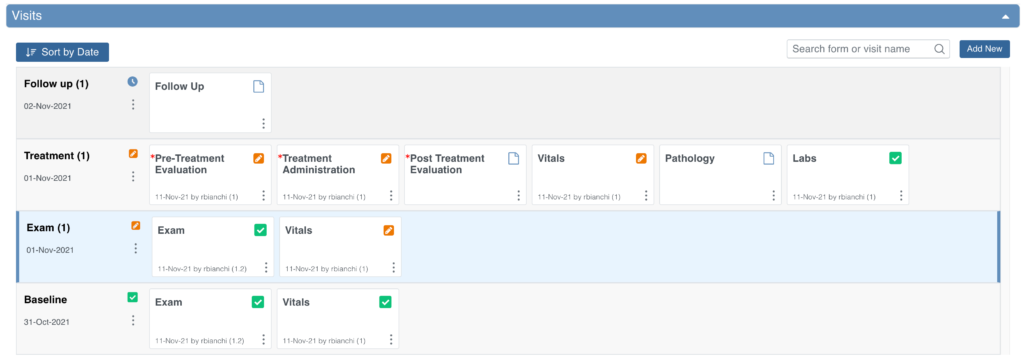
Most Events in a clinical trial are Visit-Based Events, such as Week 2, Week 6, or Monthly Follow-up.
- These visits are scheduled relative to the baseline (for example, Week 2 occurs two weeks after baseline, Week 6 occurs six weeks after baseline).
- The visit schedule is defined in the Study protocol.
- Each visit includes a specific set of Forms to be collected.
When you review the Visits section, the system automatically opens the earliest visit that is not complete. Incomplete visits display with a blue background.
A visit is considered complete when it has one of the following statuses: Complete, Skipped, Stopped, Removed, or Archived.
Common Events
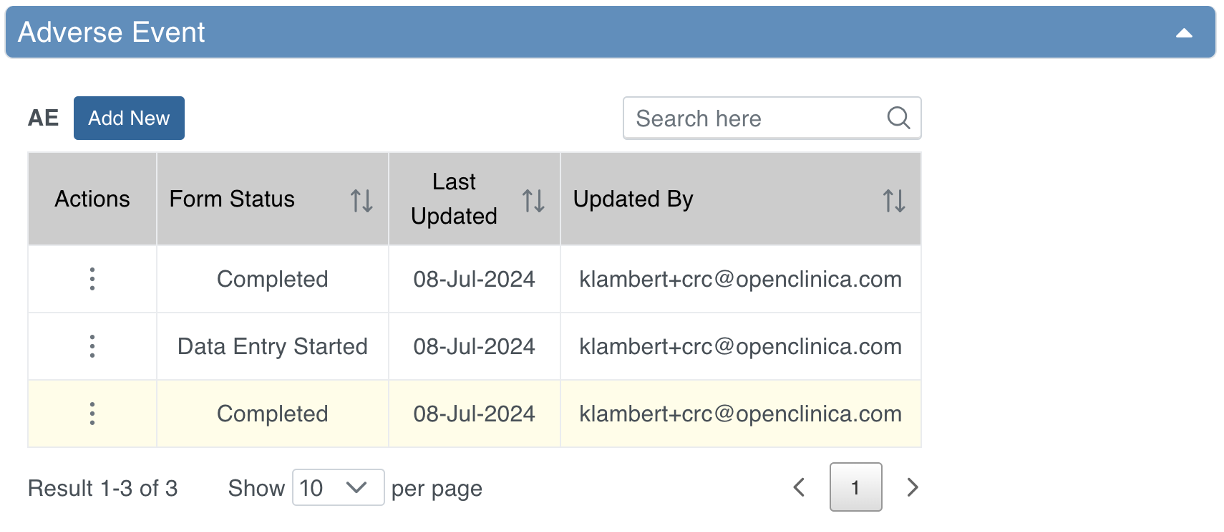
Some Events are not tied to a visit date and occur outside of the regular schedule. Examples include:
- Adverse Events (AEs)
- Concomitant Medications (ConMeds)
- Early Termination
Common Events are used to collect information independent of visit timing.
They can be configured as:
- Repeating Events – for data that may occur multiple times per Participant (e.g., AEs, ConMeds).
- Non-Repeating Events – for data that can occur only once per Participant (e.g., Early Termination).
Event Types and Icons
| Icon | Event Type | Description | Example(s) |
|---|---|---|---|
 | Visit | An event that is associated with a visit date. The event can be repeating or non-repeating. | Week 2 Visit (non-repeating); Monthly Follow-Up for Disease-Free Survival (repeating) |
 | Common | An event that is not necessarily associated with a visit date. | Early Withdrawal or Termination (non-repeating); Adverse Events (repeating) |
 | Repeating | An event that repeats in your study, either a known or unknown, number of times. This icon will appear adjacent to one of the previous two when an event is a repeating event. | Concomitant Medications |
Scheduling an Event
Once a Participant has been added, you can schedule Events.
You can schedule Events from:
- The Participant Matrix
- The Participant Details screen
- The Tasks menu
For more information, refer to Scheduling and Editing Events.
Was this article helpful?
That’s Great!
Thank you for your feedback
Sorry! We couldn't be helpful
Thank you for your feedback
Feedback sent
We appreciate your effort and will try to fix the article