If you have access to multiple studies or sites, you can switch your active study based on your assigned role.
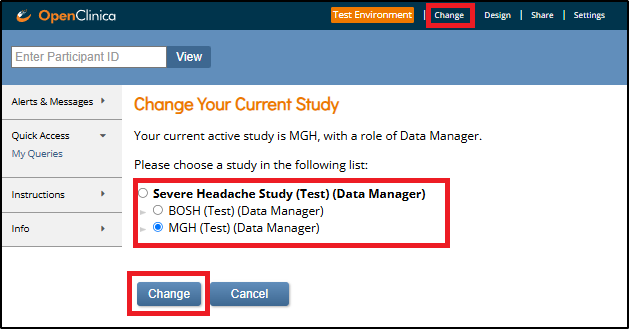
To switch between studies or sites:
- Click Change in the top navigation.
- Select the study or site you want to view from the list.
- Click Change to confirm your selection.
Was this article helpful?
That’s Great!
Thank you for your feedback
Sorry! We couldn't be helpful
Thank you for your feedback
Feedback sent
We appreciate your effort and will try to fix the article